Questions to ask your global project
Optional after Part 4 · Learning path · Sample counts
Ask one clear question, then check the answer against the intended layer and scope. These examples use the Mapplex demo workspace and fictional Global Field Operations data in New York, London and Tokyo: 39 inspection sites, 6 maintenance routes and 6 service zones.
Activate that project first. On a phone, open the menu and choose Geova AI Partner. On a tablet, choose Geova AI in the side navigation. Online AI access and available workspace points are required where the selected operation uses the service. Use @ and # to choose your own layer and field names; the names below belong to this demo.
For each example, type or paste the exact Ask question into the chat input, choose Send, and wait for the completed answer before checking the result. If your practice has added records, compare with your current layer rather than expecting the original demo total.
These are actual completed answers from the current app. Phone images use a 430 × 1000 viewport, tablet images 1024 × 768, both captured at three-times pixel resolution. Select an image to open it at full size. No records or layers were created from these results.
| Question | Verified result | Why it helps |
|---|---|---|
| Count Inspection sites where Condition is Poor | 13 sites | Size the set that needs review |
| highest Height in Inspection sites | 7.5, shared by 10 sites | Find the maximum without overlooking ties |
| Count Maintenance routes by Status | 3 In progress, 3 Planned | Compare the recorded work statuses |
| عدد Inspection sites حسب Condition | Fair 13, Good 13, Poor 13; total 39 | Ask in Arabic while retaining the actual English schema names |
1. Count only the sites matching a condition
Ask: Count Inspection sites where Condition is Poor
The answer finds 13 sites with Condition = Poor. It does not mean there are only 13 sites in the project: the complete Inspection sites layer contains 39.
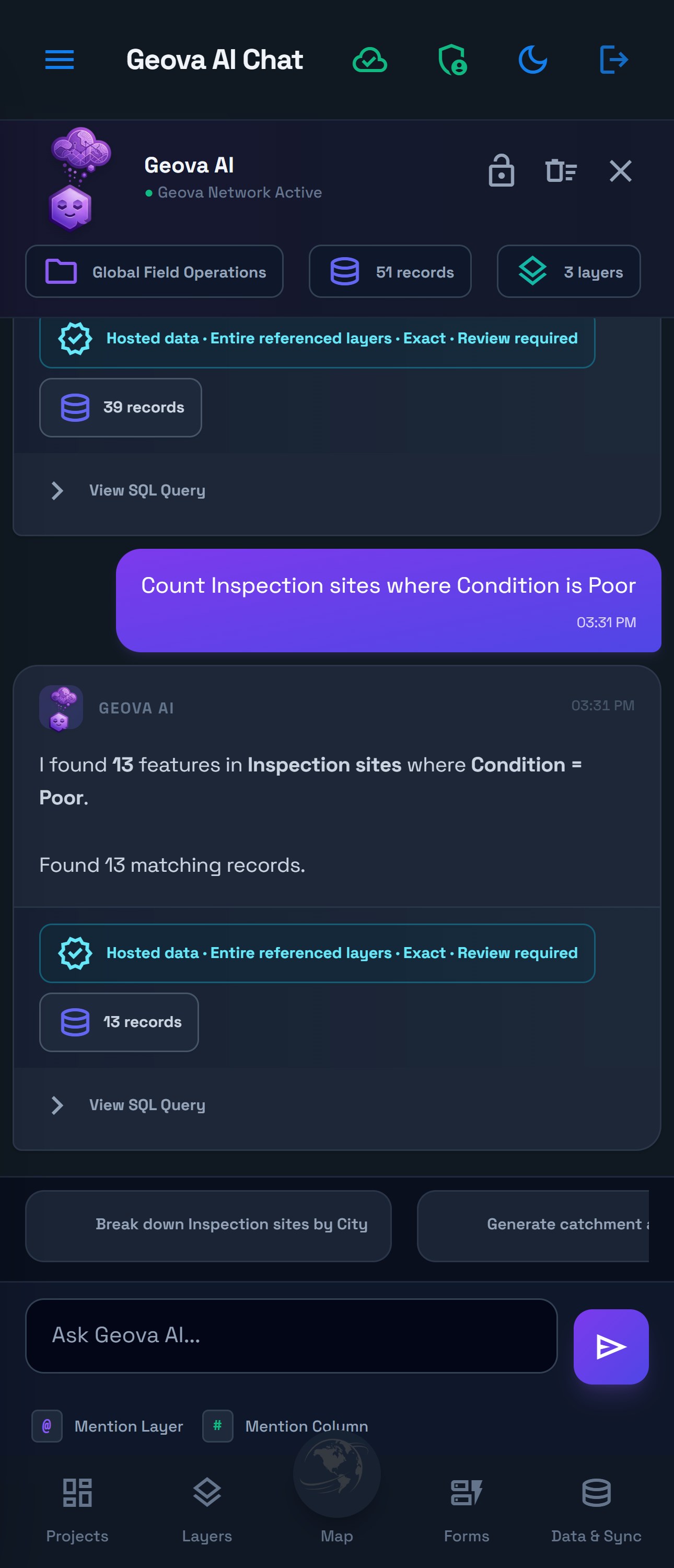
Use it for: deciding how many recorded poor-condition sites need review. The answer describes stored inspection values; it does not certify their present physical condition.
Check that the answer names both Inspection sites and Poor. An Entire referenced layers scope badge means the query is not restricted to the current map view; the stated Condition filter still applies. Expand View SQL Query if you need to inspect the selection in more detail.
2. Find the highest value and account for ties
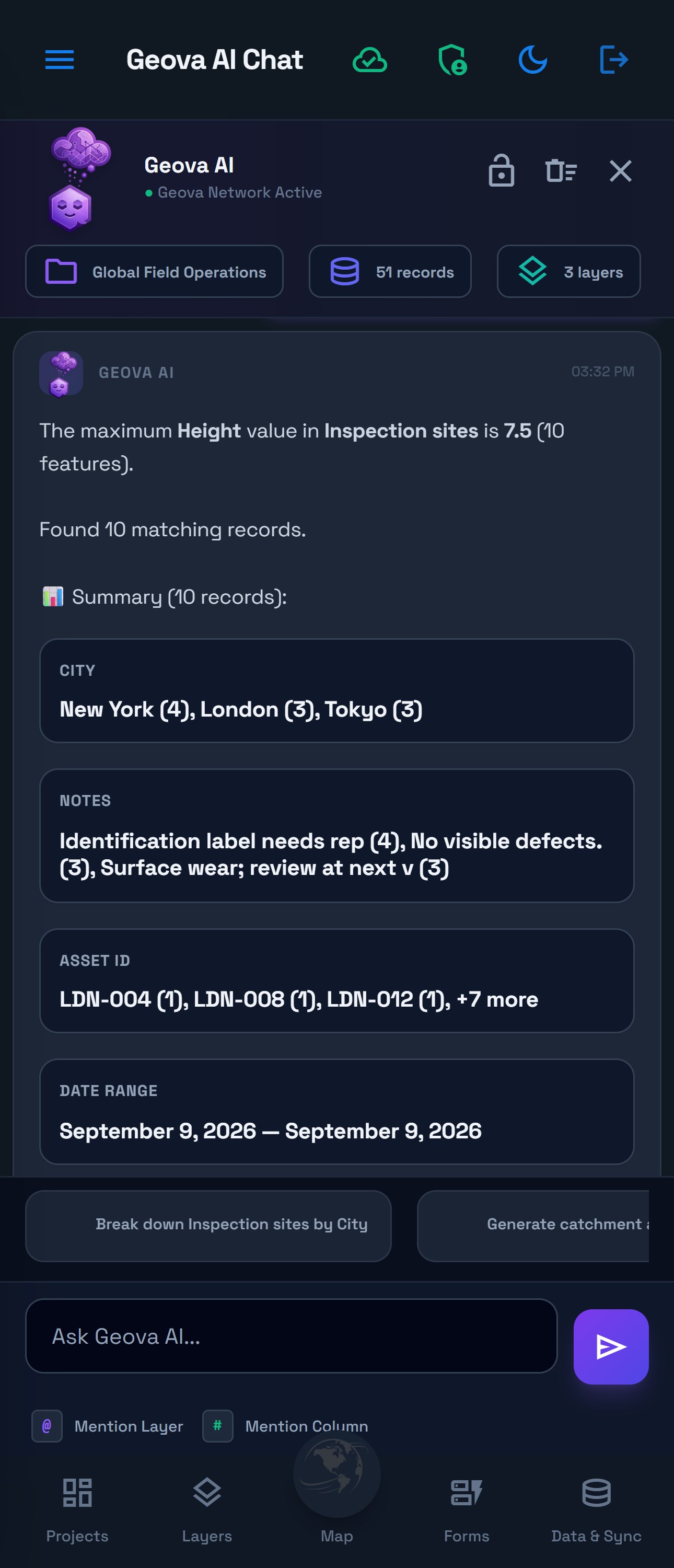
Ask: highest Height in Inspection sites
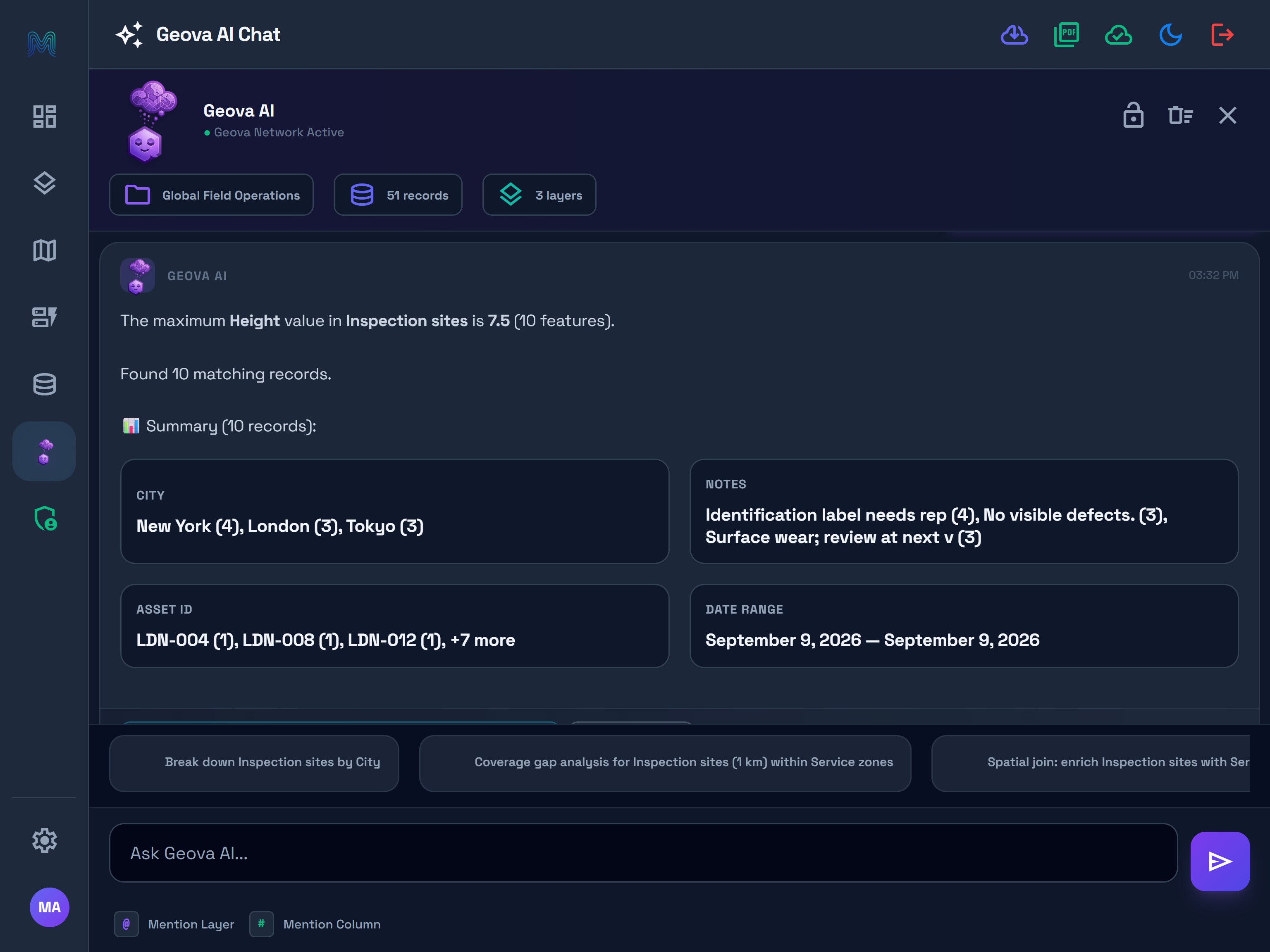
The maximum recorded Height is 7.5, and 10 sites share that value. The answer returns those matching sites rather than choosing one arbitrarily.
See the tablet mode view
Use it for: identifying the highest recorded assets for closer inspection. Interpret the value in the units defined by your form or data dictionary; this question does not convert units or measure height from the map.
Here, 10 matching records refers to ten actual sites. The City and Notes summaries describe those sites. This differs from a grouped-count result, where each output row represents a category. If a fresh result provides a map preview, inspect where the matches are located. Temporary map data can be unavailable after reopening a conversation.
3. Compare route statuses
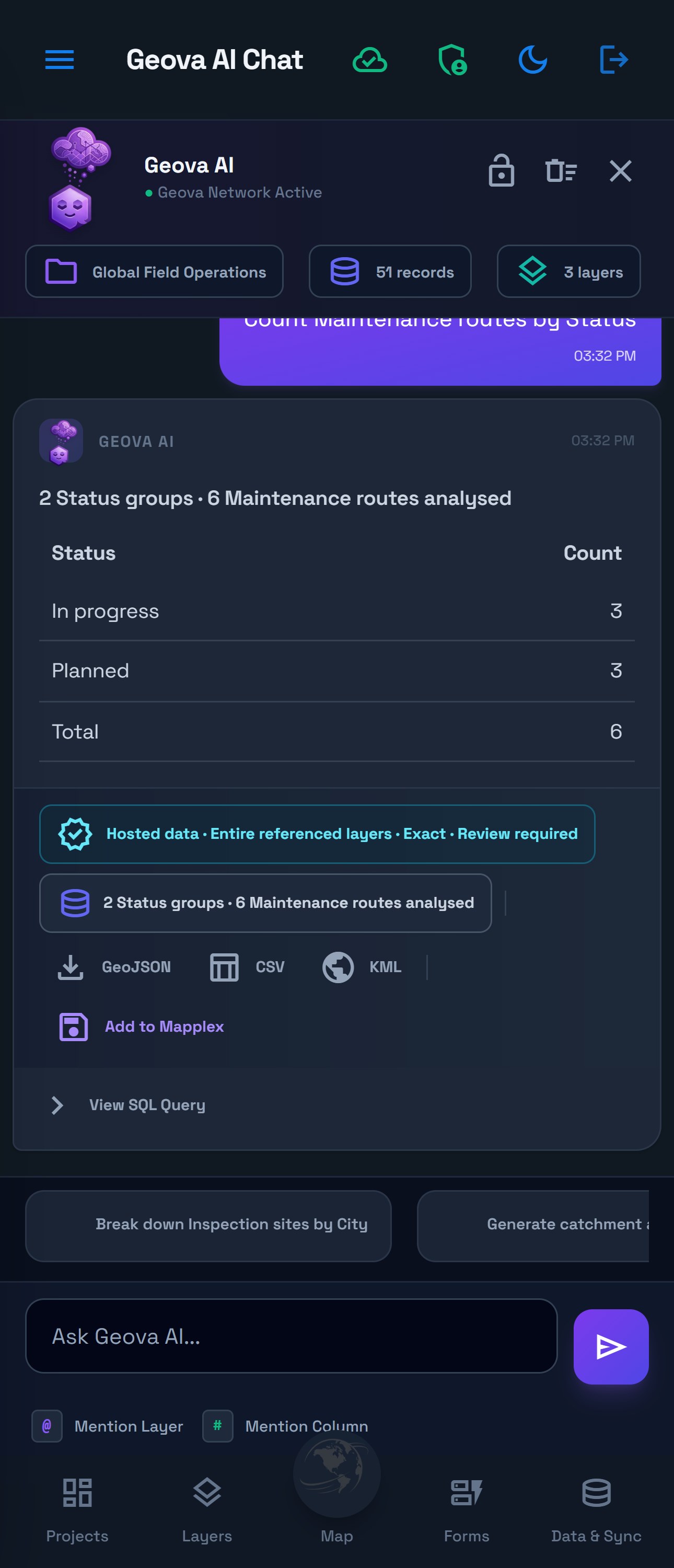
Ask: Count Maintenance routes by Status
The answer shows 2 Status groups · 6 Maintenance routes analysed:
| Status | Count |
|---|---|
| In progress | 3 |
| Planned | 3 |
| Total | 6 |
See the tablet mode view
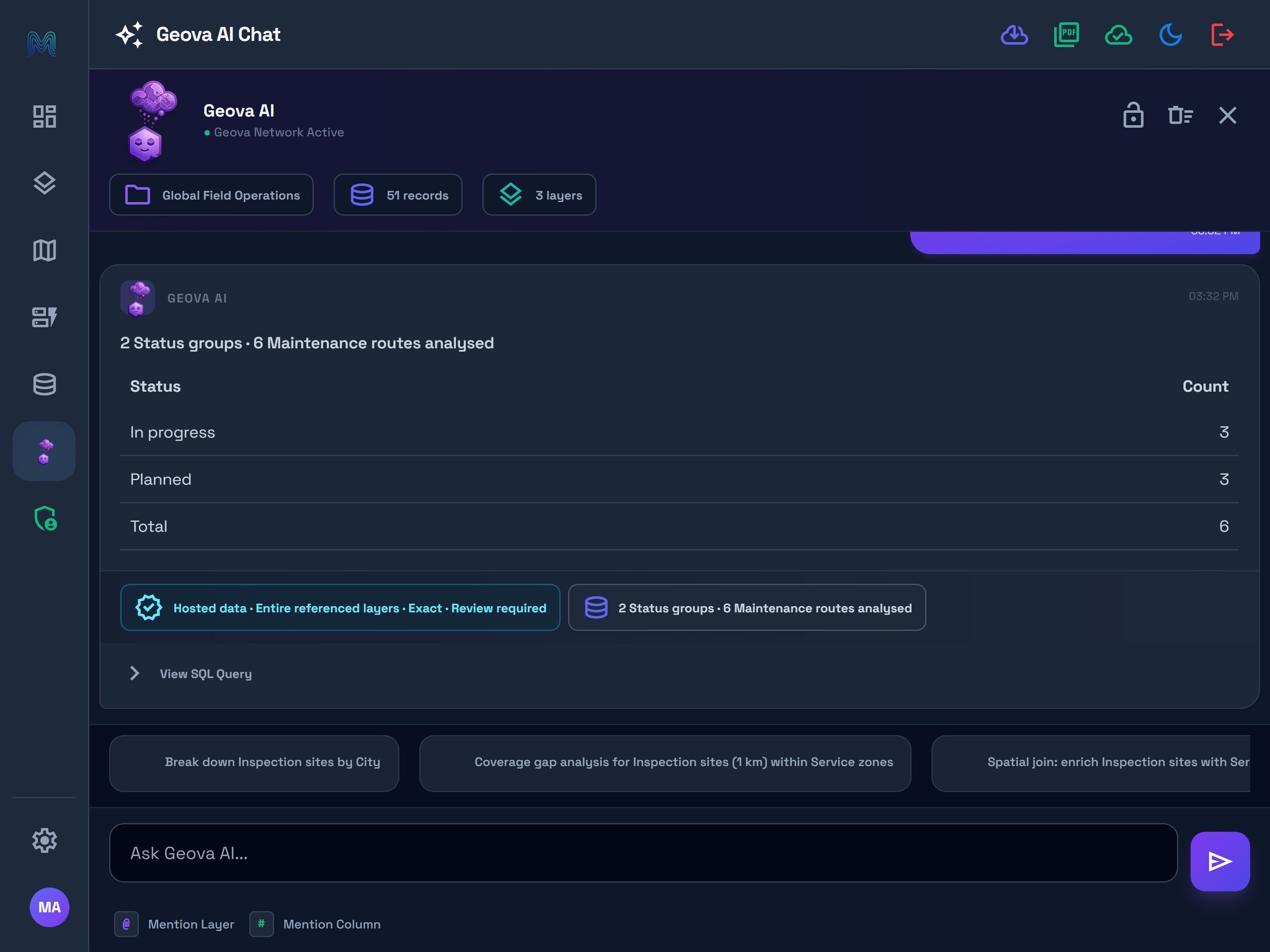
Use it for: comparing the statuses recorded by the team before a handover. A Planned label is a stored value, not an automatically scheduled job or an instruction sent to a collector.
Check the named layer and field, then add the group counts. In this complete example, 3 + 3 = 6. If the response reports partial results or an unverified source total, do not treat its available groups as complete coverage.
4. Ask in Arabic using your actual layer names
Ask: عدد Inspection sites حسب Condition
This combines an Arabic request with the English layer and field names used by the demo. The verified answer groups the 39 sites into Fair 13, Good 13 and Poor 13, with Total 39.
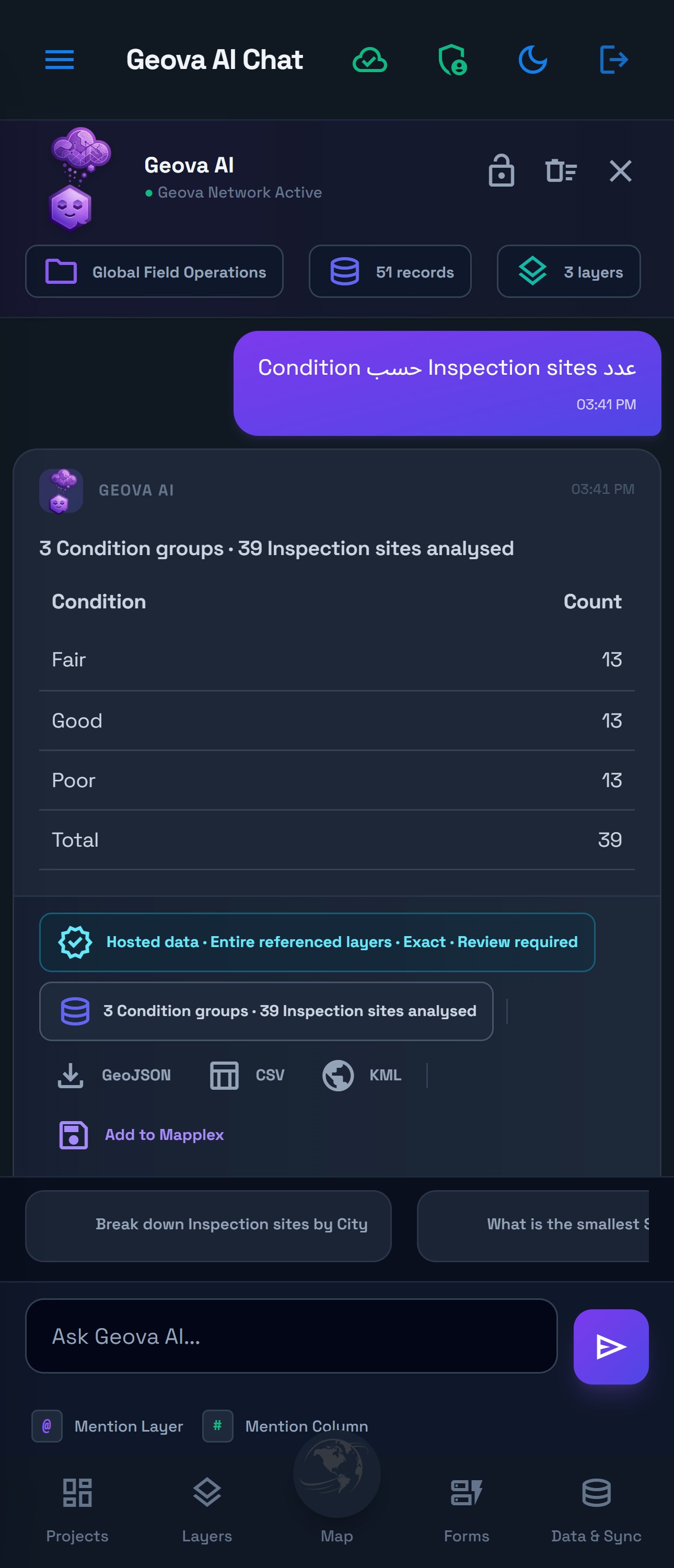
Use it for: asking a question naturally while identifying the exact schema. Select the actual layer or field from the mention picker instead of inventing a translated name that your project does not use.
Question understanding and response language are separate behaviors. This example verifies the Arabic question and its counts; it does not demonstrate an Arabic-localized answer or an Arabic interface. Review the numbers, source scope and any limitations in the returned answer.
For a full introduction to scope, result actions and voice readiness, continue with Geova AI review and voice readiness. Use the AI reference for credits, privacy, history and result availability, or reviewing AI results before saving or exporting an answer.